RxVantage User Login
Summary
This use case is for when you have an application in which users log in and you want those users to be able to interact with and leverage the rich set of data leveragin the RxVantage API. RxVantage provides an endpoint in which your users can register/login with RxVanatage and then receive a user JWT token. This user JWT token can then be used to invoke various RxVantage API endpoints.
When using a user JWT user token, will be able to invoke endpoints that are configured to accept user JWT tokens.
API Endpoint
The specification for the endpoint for this use case is located at Login User.
Use Case Details
The flow for this use case is as follows:
Step 1 Determine if you have an RxVantage JWT token for your user. If you don't, when a user tries to interact with the RxVantage API, first have them login.
This form is only for example purposes. This is what would be submitted to the RxVantage API. You could do this directly with code and not need a form. This is meant more for example purposes.

Step 2 Redirect the user to the RxVantage login screen. After successful login, the callback URL will be invoked by RxVantage back into your system. This callback URL will contain the user JWT token that can be used for further integrations with the API
If the user is already logged into RxVantage they will not need to enter their credentials again.
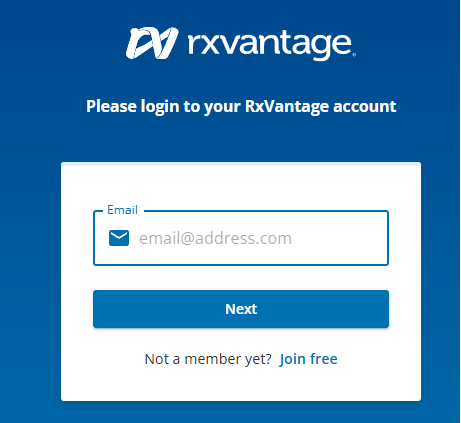
This will be the screen your users are presented with in order to log into RxVantage.
Upon successful login, your callback URL is called with the RxVantage user JWT token.

This is screenshot of a callback URL being called with the RxVantage user JWT token.
Step 3 Use the RxVantage user JWT token on any subsequent calls to the RxVantage API.